Smart Search
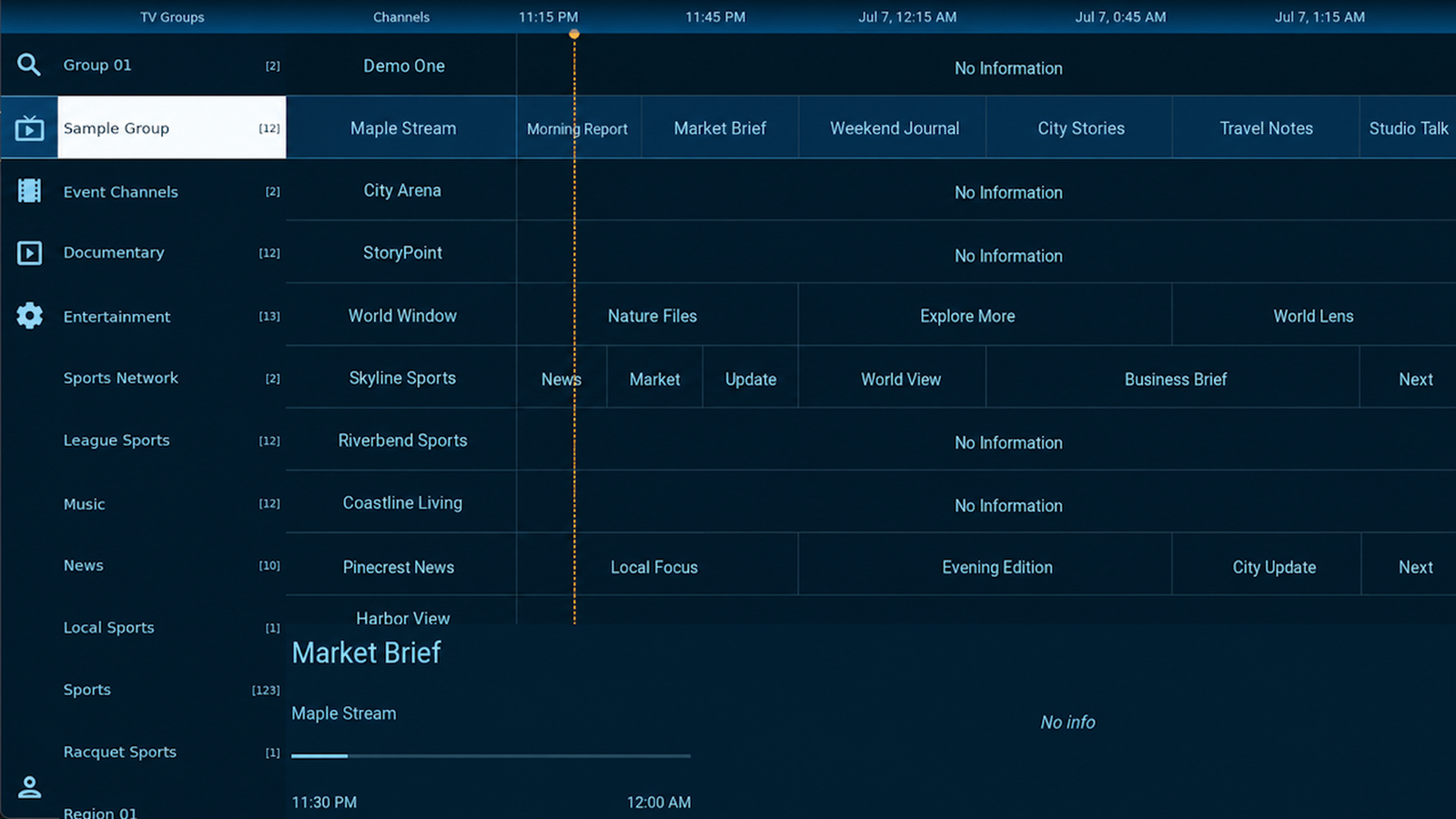
Search channels by name or find matching programs in the live TV guide using natural wording, common names, and spelling variations.
TVEZ PLAYER
A simple, easy-to-navigate player for your own TV sources, with live TV, movies, series, EPG, Smart Search, profiles, and multiview across Android TV, Android phones and tablets, and Windows.
Media player only. TV channels and content are not included. Learn more
FEATURES
Live TV, on-demand libraries, and smart viewing tools from your own compatible sources—all organized in one clean interface.
Search channels by name or find matching programs in the live TV guide using natural wording, common names, and spelling variations.
Browse channels and see what is on now and next with a clear, responsive live TV program guide.
Watch several live channels at once and quickly return to recently viewed channels.
Watch live TV with quick access to program details, favorites, playback controls, channels, the guide, and supported captions.
Explore compatible on-demand libraries from your own sources in a familiar, organized layout.
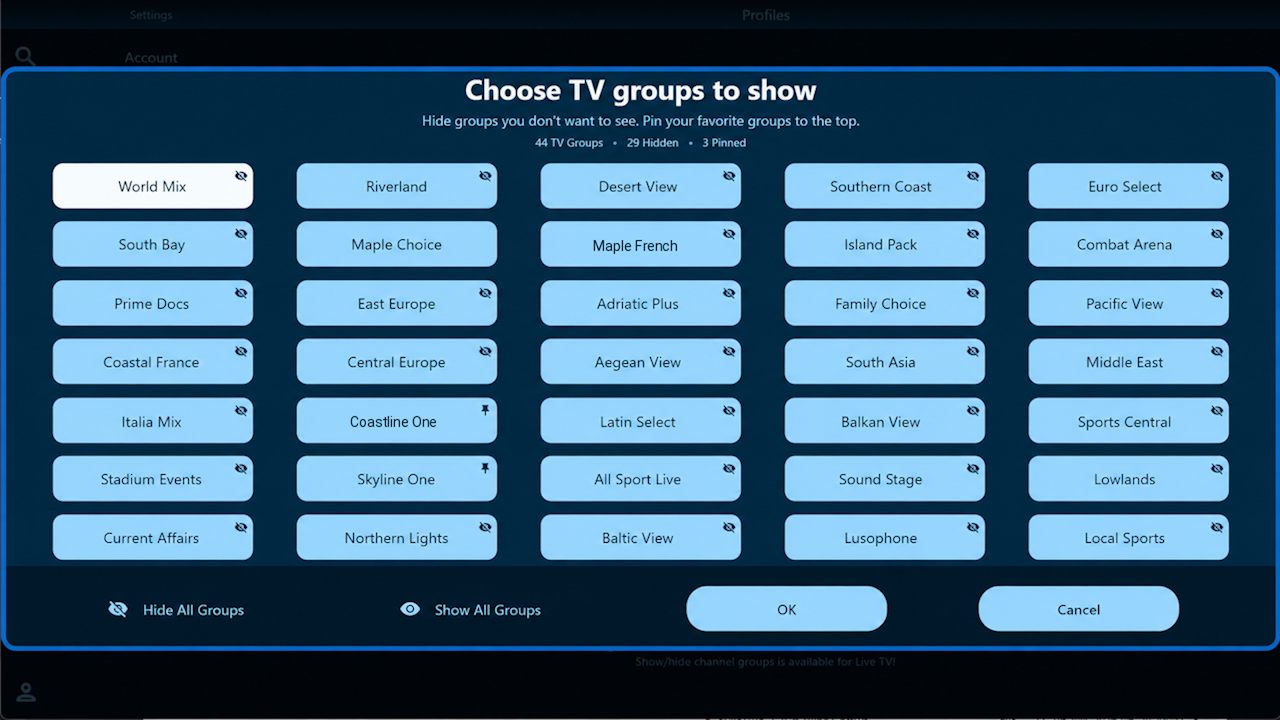
Hide groups you do not use and pin favorite groups so they stay easy to reach.
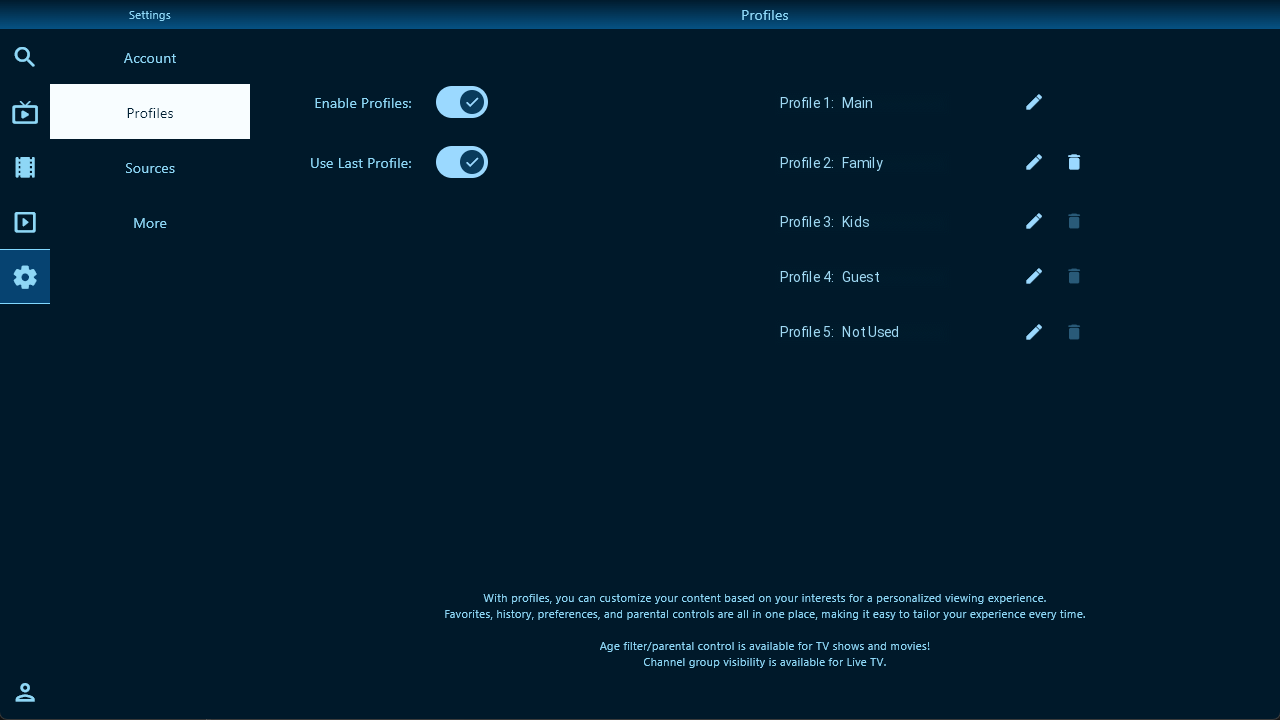
Keep favorites, preferences, recent activity, channel-group choices, and optional parental controls separate for each profile.
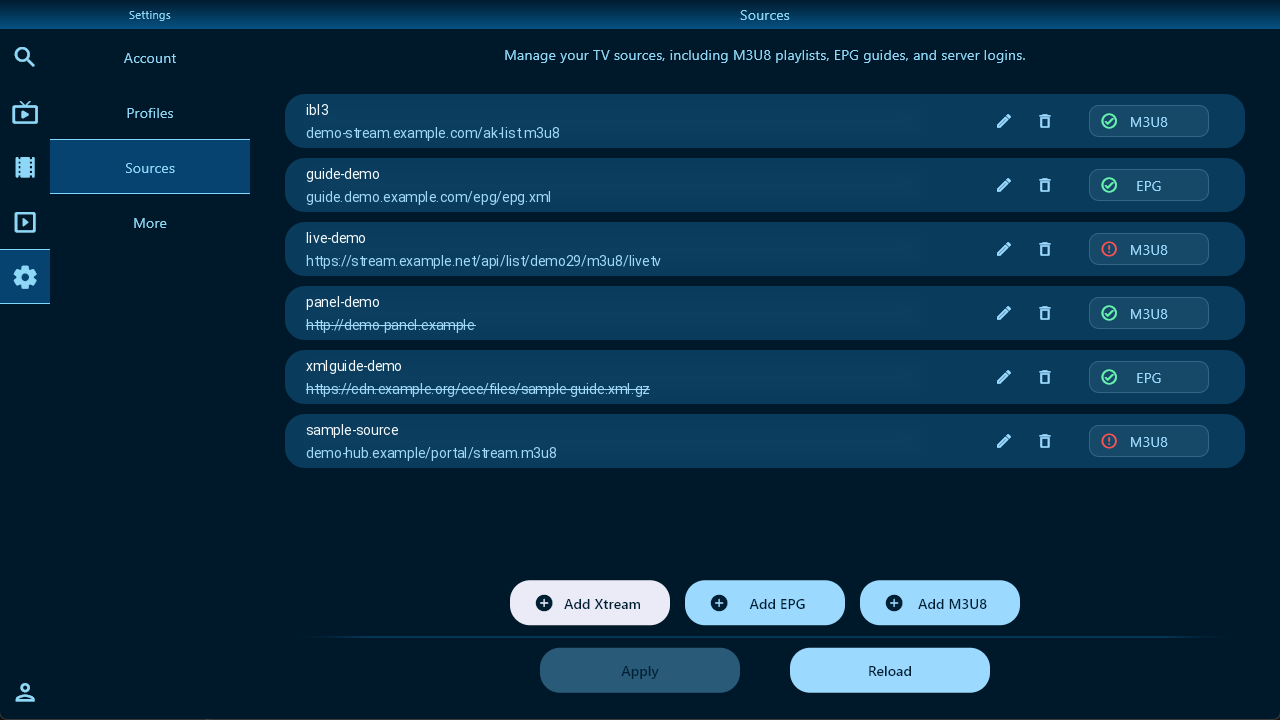
Add and manage M3U/M3U8 playlists, XMLTV/EPG guides, and Xtream-compatible server logins from one place.
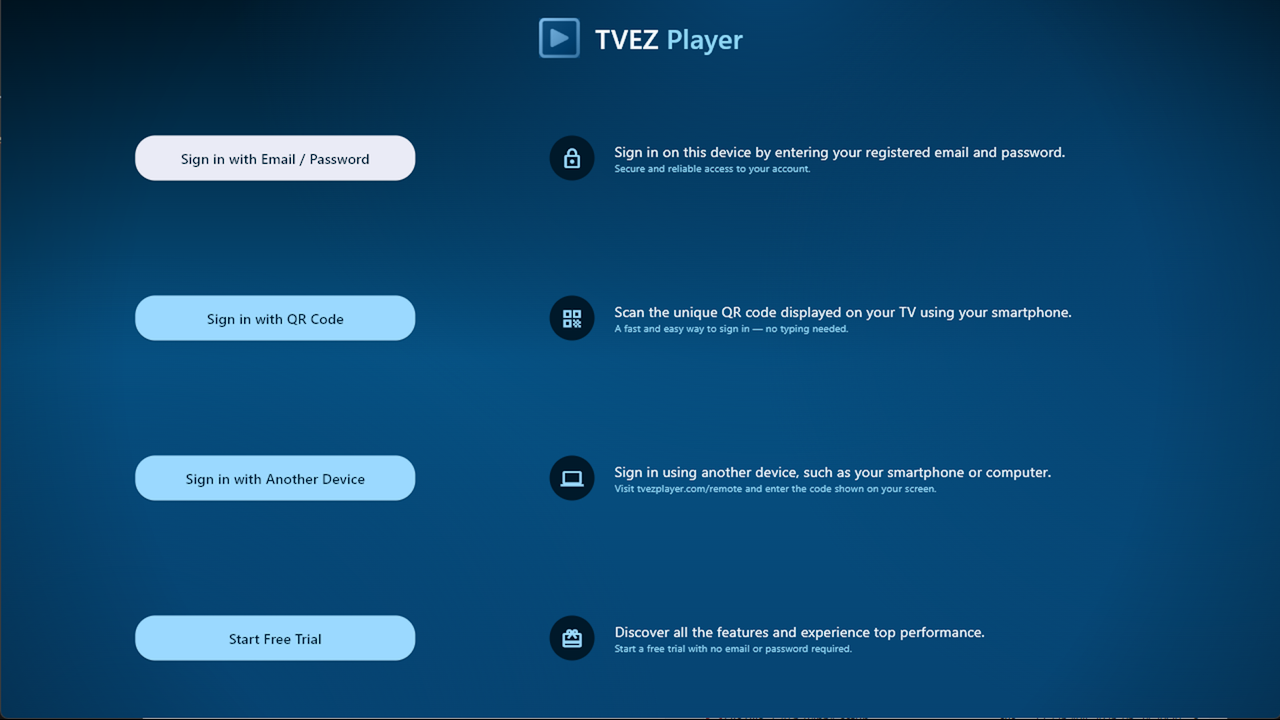
Sign in with email and password, scan a QR code, or authorize your TV from another device.
EXPLORE THE APP
Select a feature to view a real TVEZ Player screen using fictional sample data.


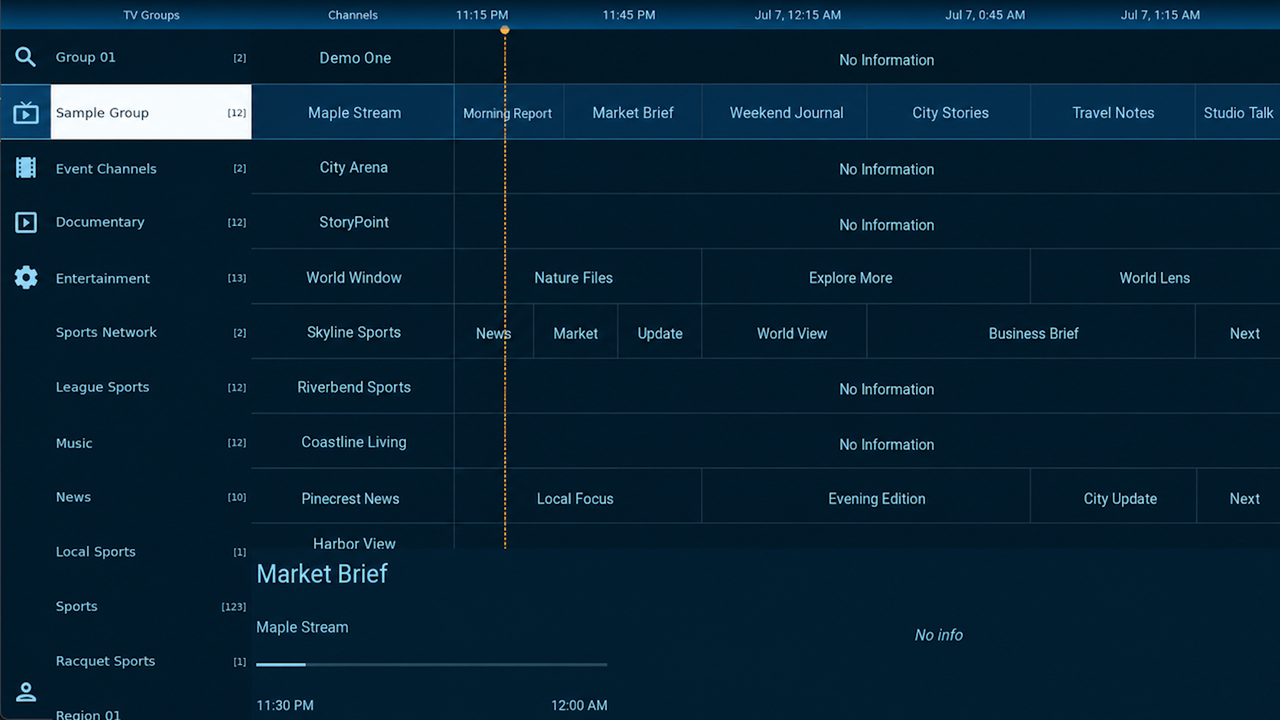
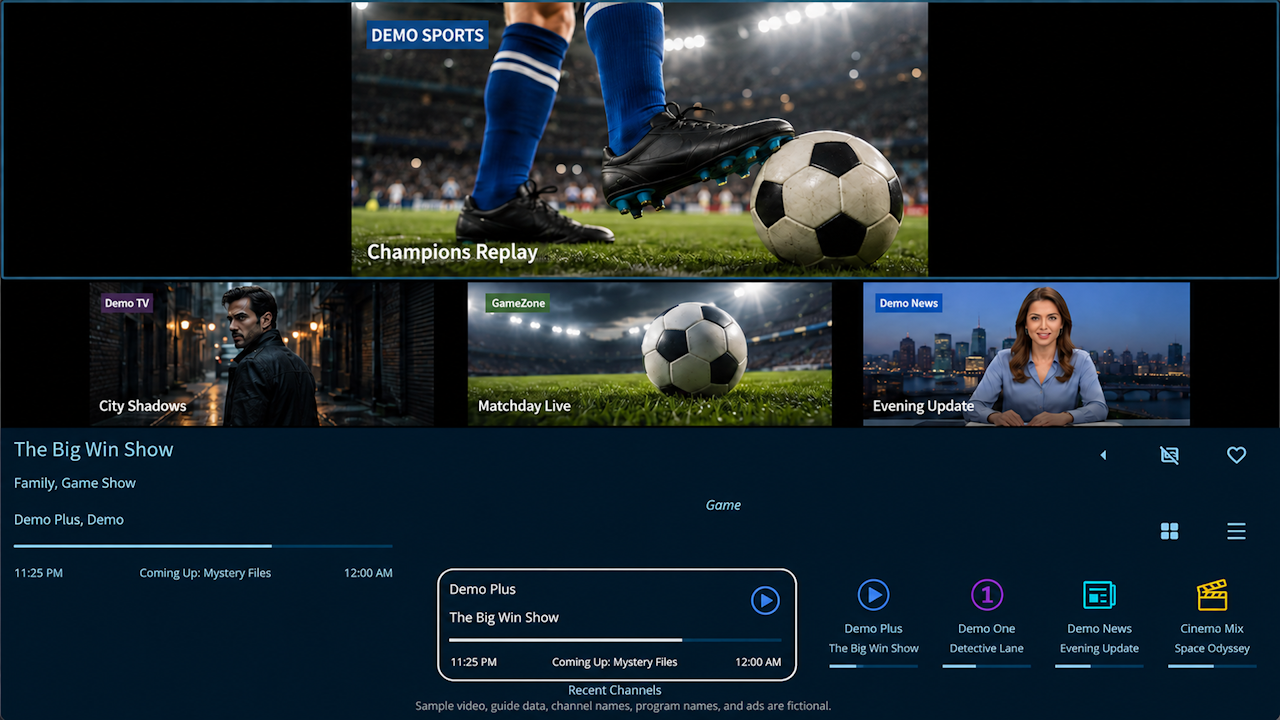
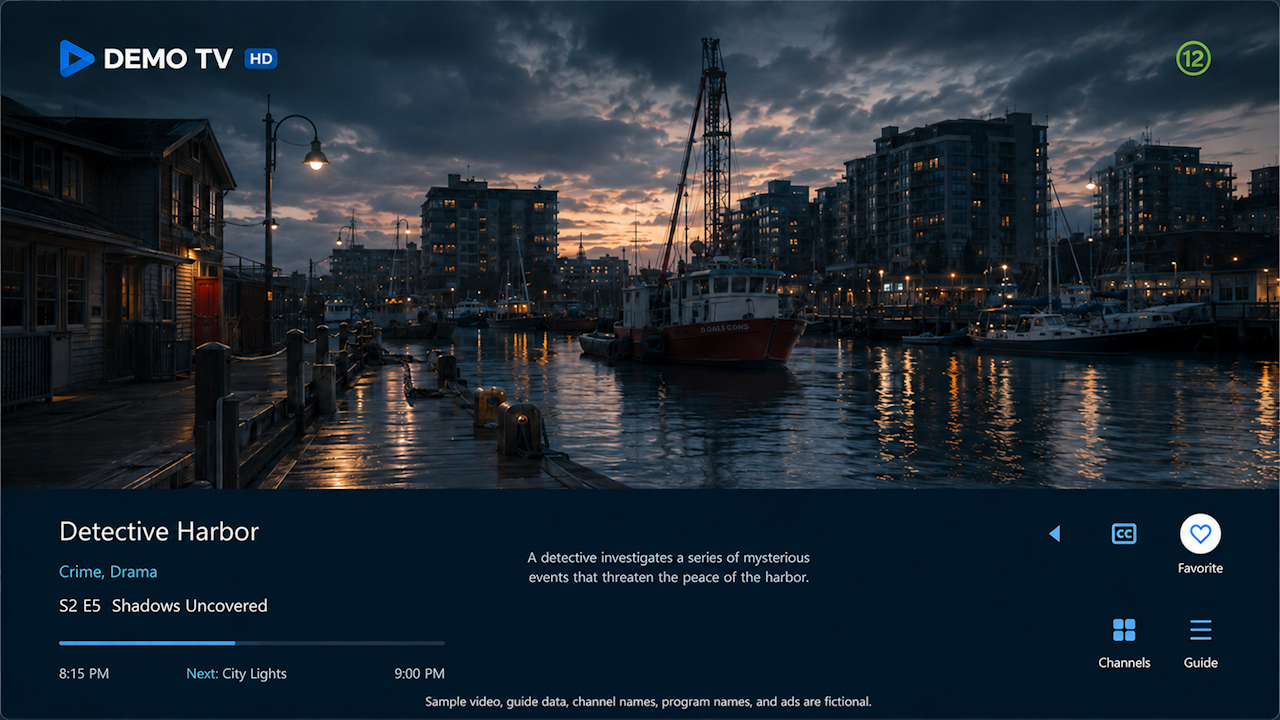
Screens use fictional sample data and are shown for illustration. Features and appearance may change as the app is updated.
PLATFORMS
Move between TV, mobile, and desktop without relearning the app. Navigation, profiles, favorites, sources, and viewing controls stay familiar while adapting to each device.
The same TVEZ Player experience, adapted for Android TV, phones, and tablets.
Remote-friendly navigation for large screens, including program-guide browsing and multiview.
Touch-friendly browsing and playback on supported Android phones and tablets.

Scan to open the test page. Use a Google account included in the internal test.
Use the same familiar interface on Windows desktops and laptops with keyboard, mouse, and full-screen controls.
iOS and iPadOS support is planned with the same familiar navigation, profiles, and account experience.
Feature availability may vary by device performance, source format, and operating-system support.
MEMBERSHIP
The free trial starts only inside TVEZ Player on the device. Create your account on this website, then sign in to the app to continue with the account trial and use your profiles, favorites, and settings across supported devices.
HOW THE TRIAL WORKS
Install TVEZ Player and the app automatically starts the device trial and signs you in. No website registration or payment information is required.
Create your account on this website using your email address. Confirm the email, then sign in to TVEZ Player with that account to begin the additional account-trial period and use your account across supported devices.
After email confirmation, use the same email account to sign in to the app.
MEMBERSHIP OPTIONS
Both plans include up to five profiles, the member portal, favorites, settings, and access across supported platforms.
For one person or household using TVEZ Player on one device at a time.
For families or multiple screens using the account at the same time.
Prices are in U.S. dollars. Your local currency, applicable taxes, and available payment methods are shown during checkout. Supported third-party checkout options may include card, PayPal, or crypto. Memberships do not renew automatically. Registration, purchasing, and plan changes are completed through the member portal. You may upgrade from Individual to Household during an active membership; a downgrade applies to the next purchased period.
Member Portal Sign InTVEZ Player is player software only. TV channels, playlists, guides, subscriptions, and other media content are not included. Device limits are separate from limits imposed by your own TV source or provider.
FAQ
Browse questions about the app, sources, profiles, parental controls, playback compatibility, trials, accounts, and membership. More help topics can be added as TVEZ Player continues to grow.
APP & CONTENT
No. TVEZ Player is a media player and does not provide TV channels, movies, series, playlists, EPG data, or subscriptions. You must provide your own content sources and have permission to access and use them.
TVEZ Player currently supports Android TV, Android phones and tablets, and 64-bit Windows. iPhone and iPad support is planned.
SOURCES & EPG
TVEZ Player supports Xtream-compatible server logins, M3U or M3U8 playlist links, and XMLTV/EPG guide links. You may combine different supported source types in the same app.
You can add up to ten sources. This total includes TV sources and separate EPG links. The practical number that works well may depend on the size of each source and the performance of your device.
Yes. Xtream-compatible and M3U/M3U8 TV sources may be given an optional label. The label helps identify which source a channel belongs to when similar or duplicate channels are available from more than one source.
Yes. When a source contains many channel groups, you can hide groups you do not use or pin preferred groups to the top of the group list. These choices are managed in Profile Settings, so each profile can keep its own group visibility and pinned-group order.
When multiple sources provide guide information for the same channel, TVEZ Player uses the first matching EPG reference in your configured source order. Reordering the sources may therefore change which guide information is displayed.
TVEZ Player refreshes EPG information in the background. You can also manually request a refresh from the app when you need the guide data to be checked immediately.
Yes. Every additional source uses memory, processing time, and storage. Large guides containing many days of data or thousands of channels can take longer to load and may slow the app on lower-powered devices. If performance is slow, first try disabling unused sources, reducing unusually large guide data where possible, or testing the same setup on a more capable device.
PROFILES & PARENTAL CONTROLS
No. TVEZ Player can be used without enabling profiles. Profiles are optional and are intended for households that want separate favorites, recent activity, channel-group choices, preferences, and parental controls.
Yes. When profiles are enabled, each profile may be protected with its own PIN. A profile PIN helps control access to that profile inside the app, but it does not prevent someone who has the account sign-in details from signing in on another device.
When profiles are enabled, one profile is designated as the Master profile. It can configure global app settings and create, edit, or remove the other profiles. It is the only profile that can manage all app settings and all profiles.
An Adult profile can manage features connected to its own profile, such as favorites, recent activity, preferences, and hidden or pinned channel groups. It cannot change other profiles or global app settings.
A Child profile is a restricted profile type created and managed by the account holder; it is not a separate child account and does not need its own email address. It cannot modify app settings. The age selected in Profile Settings is used to limit content when usable rating information is provided by the source or EPG.
Age-based filtering depends on the rating information supplied by the source or EPG provider. Missing, incomplete, or incorrect rating data may prevent some programs from being classified accurately. Parents should review their sources and profile settings before relying on the filter.
Yes. TVEZ Player does not restrict a profile to one device. The same profile may be used on multiple signed-in devices, subject to the account's active-device limit.
Profile information is updated across signed-in devices periodically. When the same profile is used on more than one device, recent channels, movies, series, favorites, and other profile activity may reflect use from any of those devices.
PLAYBACK & COMPATIBILITY
Many TV-source providers limit how many streams may be used at the same time. Multiview opens more than one live stream, so you must keep the number of active views within the limit allowed by your source provider. Exceeding that limit may cause streams to stop, buffer, or fail to open.
Yes. When channels are changed quickly, a provider may briefly see the previous stream closing while the new stream opens. Some providers treat that short overlap as an additional connection. This may temporarily cause buffering or a rejected stream because of the source provider's connection rules, even though the channel change was requested normally in TVEZ Player.
Device capabilities vary widely. Lower-cost streaming devices, phones, tablets, computers, and smart TVs may be able to decode only one demanding live stream reliably, especially when hardware video decoding is unavailable or limited. Multiple high-resolution streams may cause delays, dropped frames, or buffering even when the source provider allows them.
TVEZ Player monitors playback during multiview. When a view appears to be affecting the others, the app may close that view so the remaining streams can continue more reliably. Because device hardware and stream formats vary, the best way to confirm compatibility is to test your own devices and sources during the available trial periods before purchasing a membership.
Live-TV closed captions may be embedded differently by each broadcaster or stream provider. Some streams do not include captions, identify them incorrectly, or use a format that a particular device cannot detect or display reliably. Caption availability and quality therefore depend partly on the live stream supplied by your provider.
No. Live-TV closed captions are commonly embedded in the live broadcast stream. Movies and series usually provide separate subtitle and audio tracks, and it is common for VOD content to offer several subtitle languages or audio options. Support and availability still depend on the tracks included by your source.
TRIAL & ACCOUNT
No. The 24-hour device trial starts automatically after you install and open TVEZ Player on a supported device. No account or payment information is required to begin.
Create an account on this website using your email address. Then sign in to TVEZ Player with the same account to begin the seven-day account trial.
TVEZ Player uses a unique Trial ID to identify the device trial. The ID is displayed in the app and can be entered while creating your website account. It transfers eligible profiles and settings to the registered account so you do not need to enter the same setup again. Complete the transfer promptly after the device trial ends.
No. The Device Trial is available only once per device. TVEZ Player uses a stable device identifier so the same device is recognized if the app is installed or opened again. After the trial expires, it cannot be restarted on that device.
The Device Trial supports up to five profiles but only one device in use at a time. The Account Trial also allows one device in use at a time. Individual membership allows one active device, while Household membership allows up to five at the same time.
Your account can keep supported profiles, preferences, favorites, and compatible app settings available across your signed-in devices.
MEMBERSHIP & BILLING
Public membership prices are shown in U.S. dollars. Your local currency and applicable taxes may be displayed during checkout.
No. Memberships are purchased for one month, three months, or one year and do not renew automatically.
The methods available for your purchase are displayed during checkout and may include card, PayPal, or cryptocurrency through independent third-party providers. TVEZ Player does not store complete card details or cryptocurrency private keys.
Yes. An upgrade from Individual to Household takes effect after it is processed. You may need to sign out and sign in again, or wait up to five minutes for devices to receive the updated membership. A change to Individual applies to the next purchased membership period.
Submit a request through the support-ticket portal in your member account. Requests are reviewed individually and are not automatically approved. The Device Trial and Account Trial are provided so you can test features, sources, playback, and device compatibility before purchasing.
Sign in to the member portal and open the Membership page, then choose the account-deletion option. Eligible account and profile information is permanently removed, while limited records may be retained for accounting, security, payment disputes, or enforcement of the one-trial-per-device rule.